Export invoices to PDF or CSV files
To export one or more invoices to PDF or CSV files, go to your Finance entity > Invoices.
- Under Debtor invoices, use the tick boxes to select one or multiple invoices you’d like to export or download.
- At the bottom of the invoice list, select Download PDFs or Export to CSV.
- It may take a few moments before the file/s to be created and ready to download. Once it’s available, a confirmation will show up in your Notifications – click on the bell icon
 next to user settings to access new notifications
You’ve downloaded a PDF invoice/s and they’re ready to send.
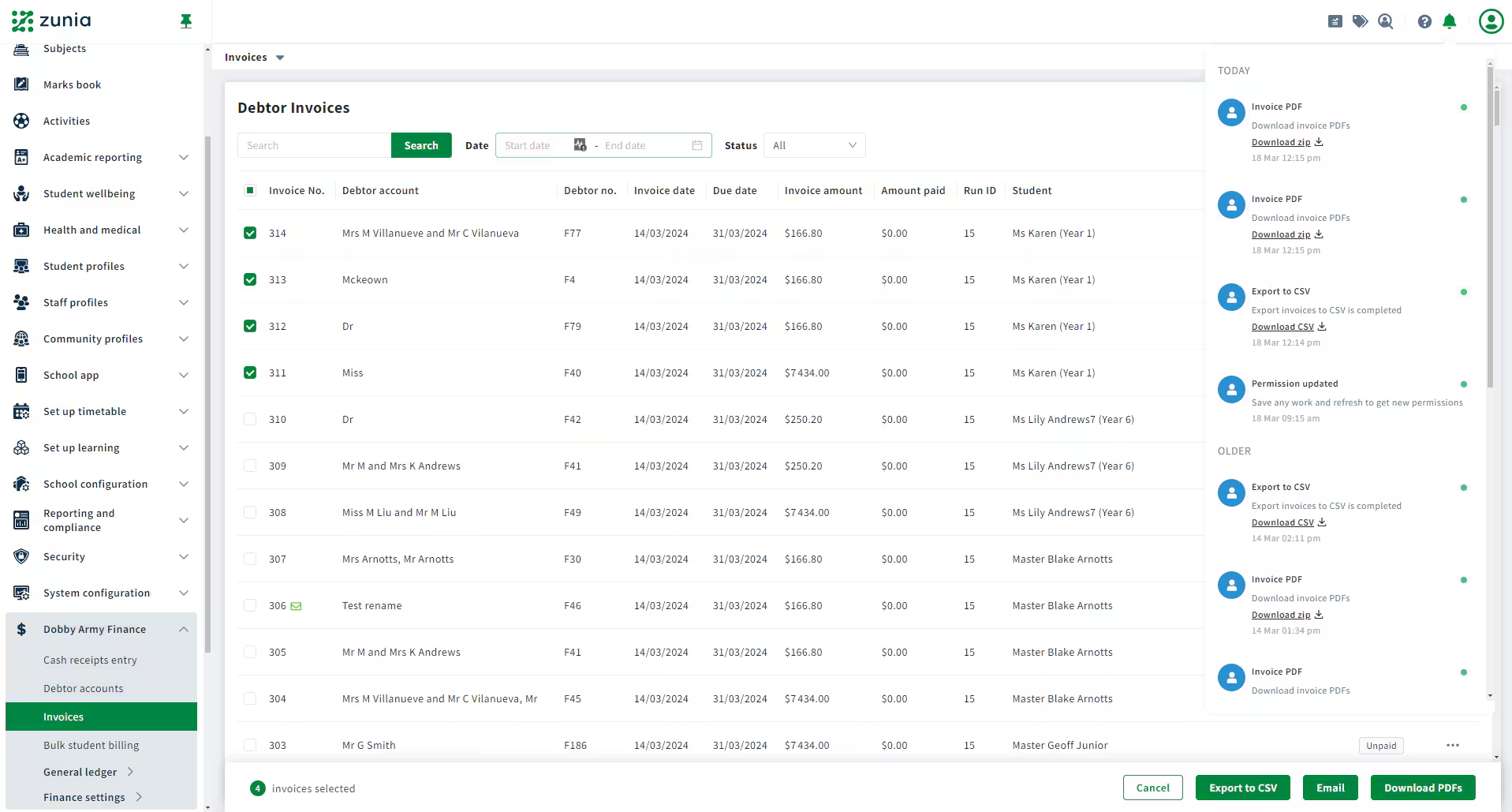 Pictured: A list of notifications for today showing CSV and PDF invoices exported and available for download.
Was this article helpful?
That’s Great!
Thank you for your feedback
Sorry! We couldn't be helpful
Thank you for your feedback
Feedback sent
We appreciate your effort and will try to fix the article